

| Getting Started Here’s everything you need to know:
|
After clicking the button above, you'll land on this sign-up page:
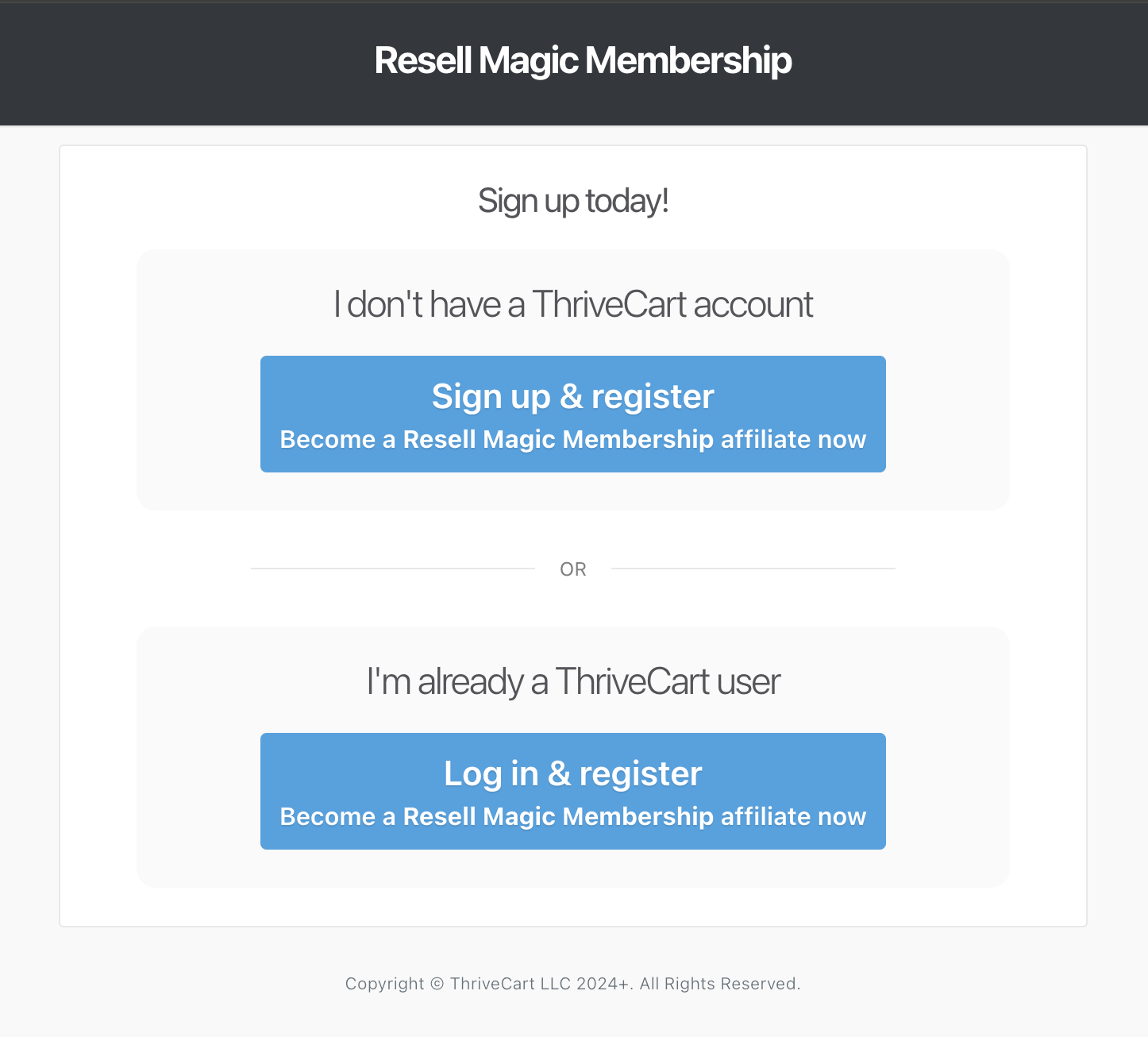
If you don't already have a ThriveCart account, click on the "Sign up & register" button and enter your information.
You can choose any name for your affiliate ID.
Already have an affiliate account on ThriveCart? Click on "Log in & register".
Once signed in you will be taken to the Overview page.
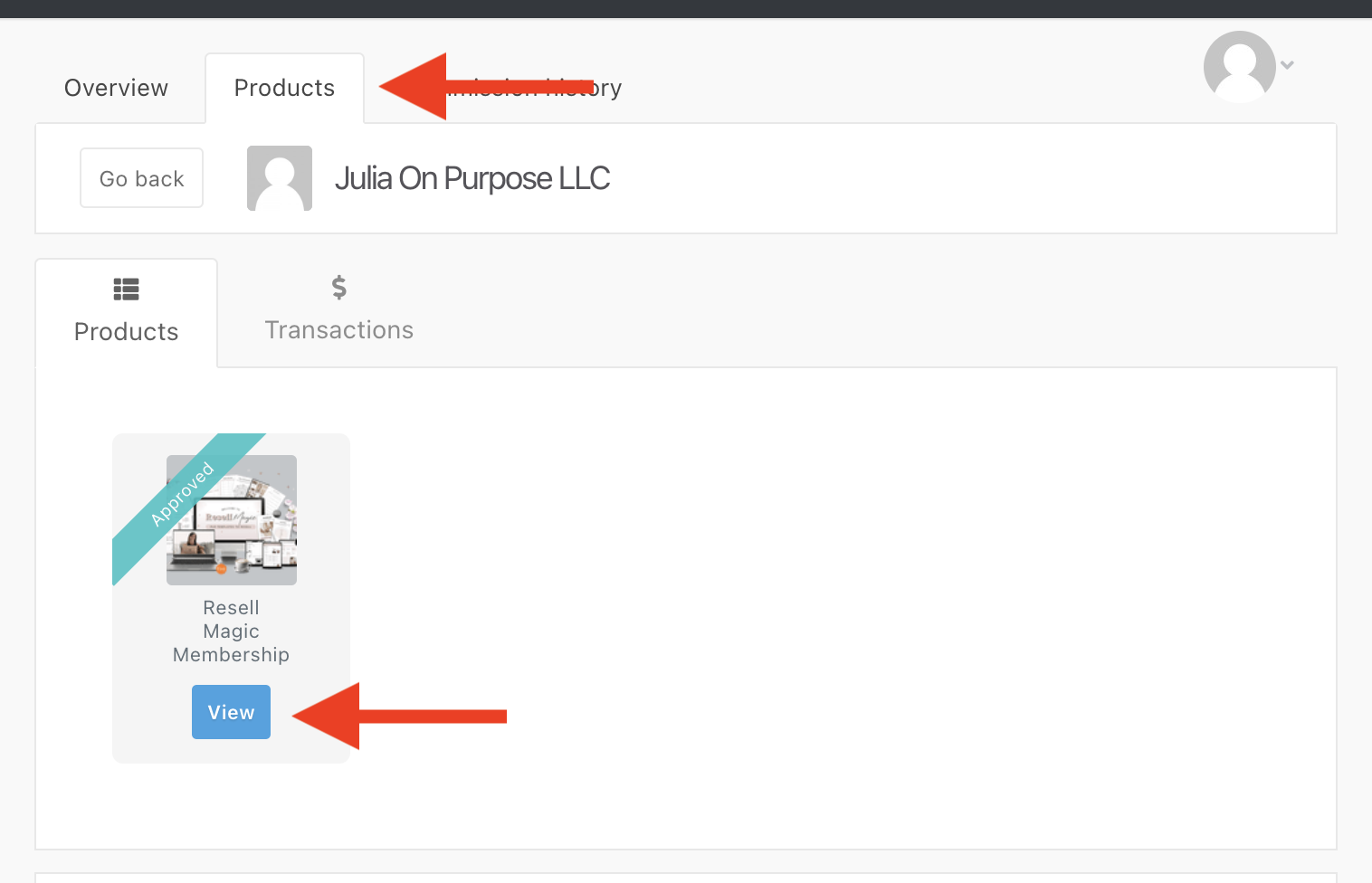
Click on the Products tab to see all the affiliate programs you have signed up for
Select Julia on Purpose LLC and click on "View Products."
You’ll see a list of all the products you are approved for (you are auto-approved for all products)
Click on "View" to access each product's specific details.
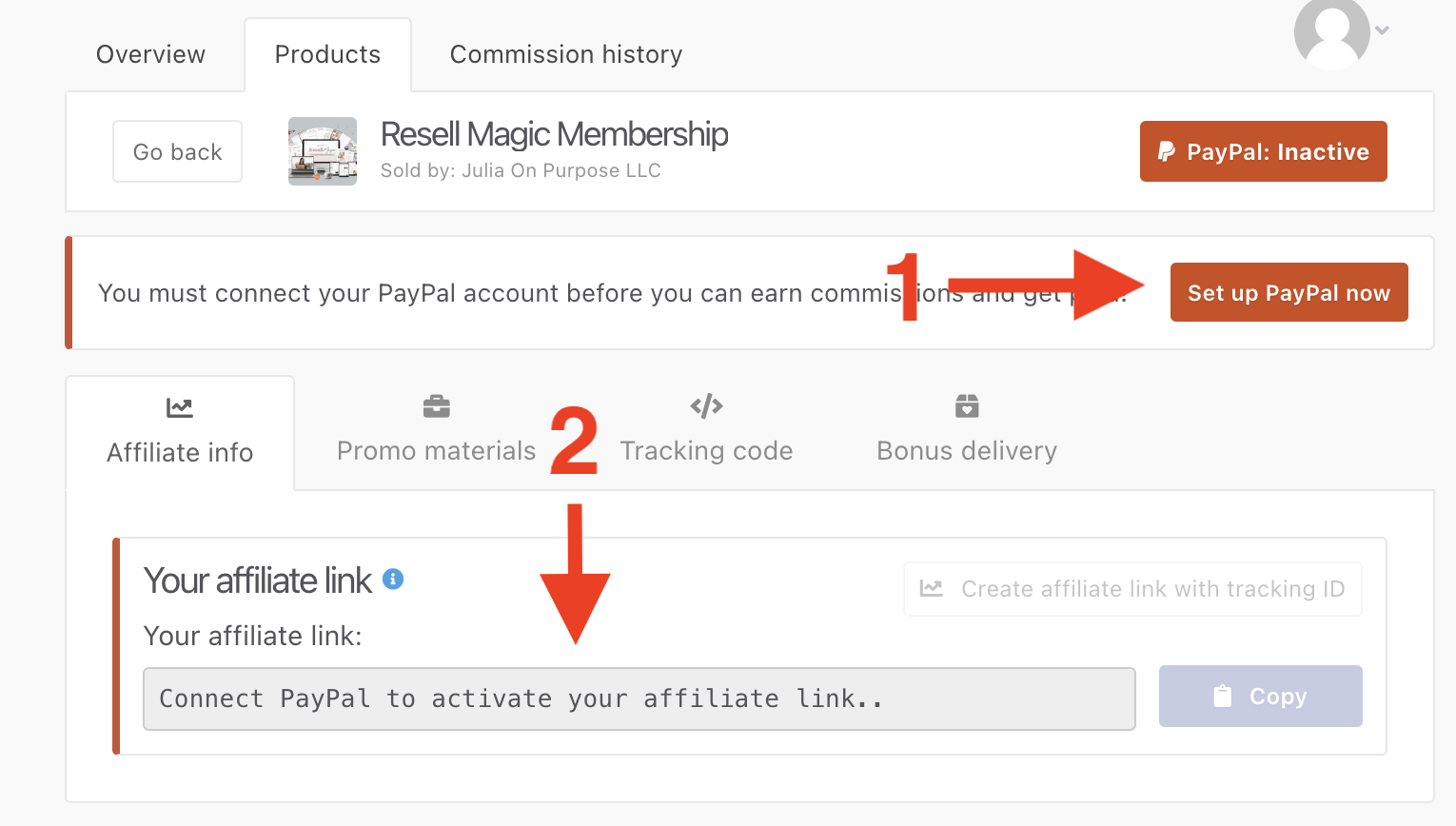
Click "Set up PayPal now" (1). Note that a Business PayPal account is required; personal accounts are not supported.
After completing the setup, you can share your unique affiliate link (2).
- If you have any issues registering as an affiliate, the best way to get help is to contact Thrivecart's support team by clicking here. They have excellent customer service.
- If you need to contact me, reach out at [email protected]